By Noleen Thompson, LadyBugz Marketing
“You do not have access to SSI.” If that’s the message you got when you went to check your LinkedIn Social Selling Index (SSI) score, nothing is broken on your side. LinkedIn has switched the score off for accounts without Sales Navigator. Since we wrote about the SSI going premium in August, that exact sentence, pasted word for word, has become one of the searches that most often brings people to our website.
Key Insights
- LinkedIn now calls the SSI a Sales Navigator feature: accounts without Sales Navigator, LinkedIn’s paid sales tool, see “Your access to the Social Selling Index (SSI) has been discontinued.” Sales Navigator trainer Rafał Szymański dates the switch-off to around 8 September 2026. LinkedIn hasn’t published a dated notice.
- LinkedIn admits the score and sales don’t always line up: its own “From SSI to AI” page says a high SSI score “doesn’t always represent the efficacy of a sales person or correlate with measurable sales outcomes.”
- Analytics moved in October: on 15 October 2026 LinkedIn announced a new Dashboard on its mobile app that gathers your post and audience numbers in one place, rolling out over the coming weeks. Newsletter open rates (the share of subscribers who opened the email) were reported to be going from 9 October, according to John Espirian, who says LinkedIn’s support team told him so. Our own newsletter still showed an open rate in late October 2026, so check yours.
- A basic account still shows who is looking: LinkedIn’s help centre says a free account shows the job titles and companies of people who viewed your profile in the last 90 days, and every post shows how far it travelled beyond your network.
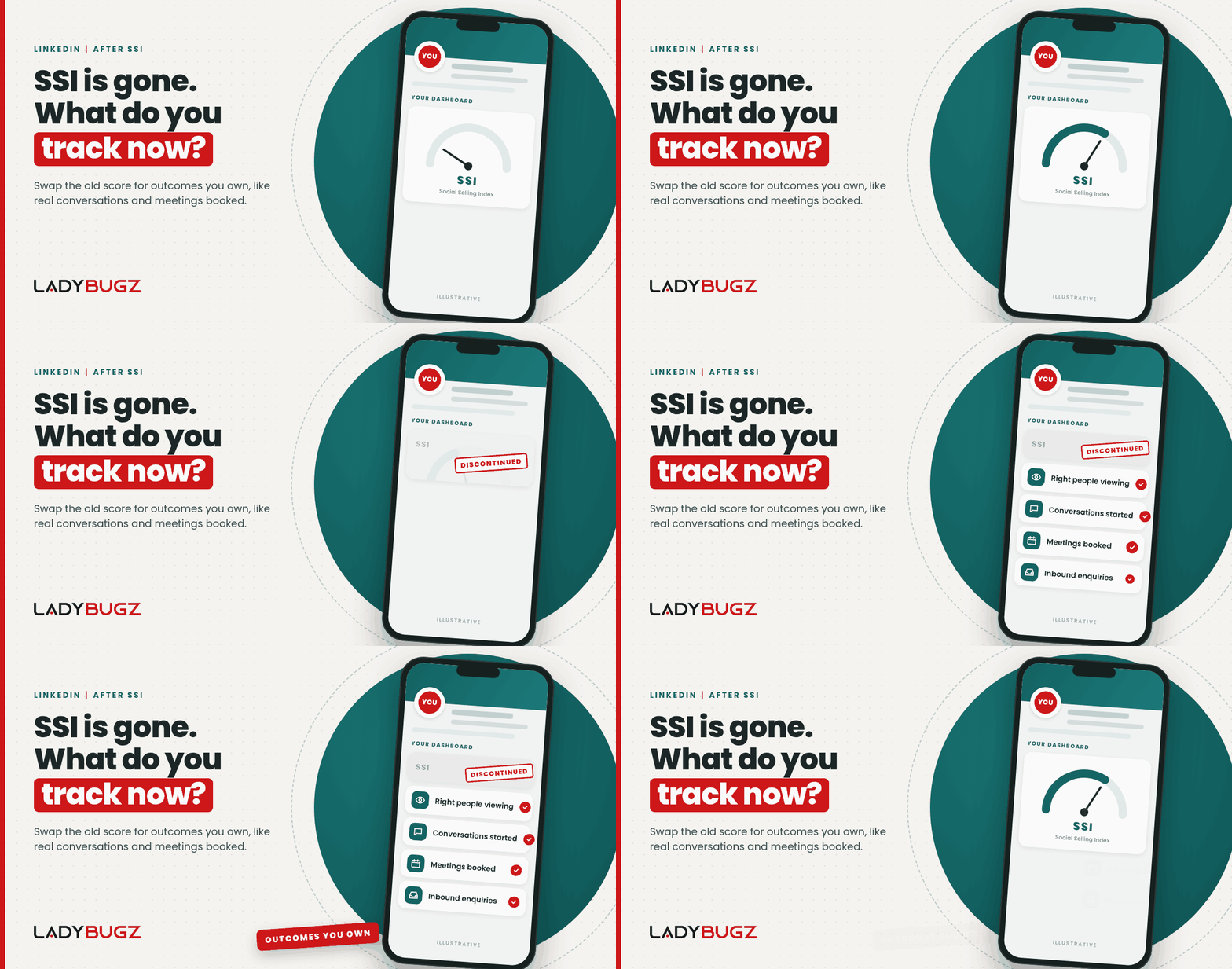
- Track what LinkedIn can’t see: conversations started, meetings booked and enquiries that mention LinkedIn live in your own records, and they’re the closest link between LinkedIn and revenue.
Now that the SSI has been discontinued, track who your LinkedIn activity reaches and what it leads to. That means the job titles and companies of the people who view your profile, the searches you appear in, and how far your posts travel beyond your own network. Off LinkedIn, it means the conversations and meetings it starts, and any enquiry where someone says they found you there. The score rewarded being busy on LinkedIn. Busy has never paid anyone’s invoices.
Why does LinkedIn say your access to the SSI has been discontinued?
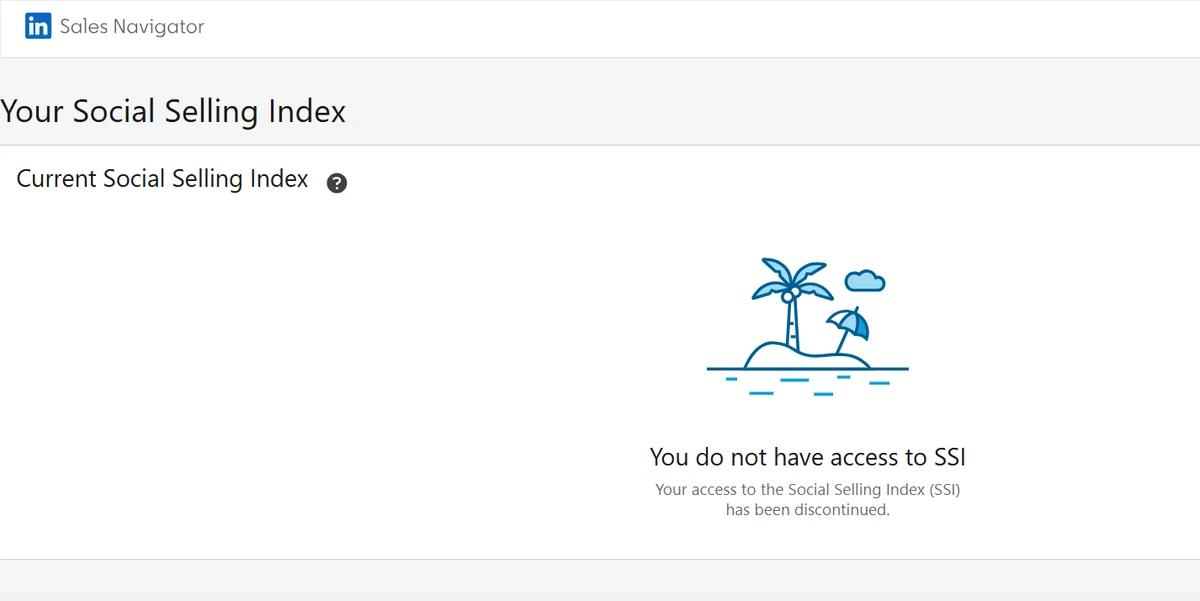
LinkedIn now treats the Social Selling Index (SSI) as a Sales Navigator feature, so accounts without it are locked out. Where the score used to be, the page now shows two lines, as we saw on another account we checked in October 2026: “You do not have access to SSI” and “Your access to the Social Selling Index (SSI) has been discontinued.”
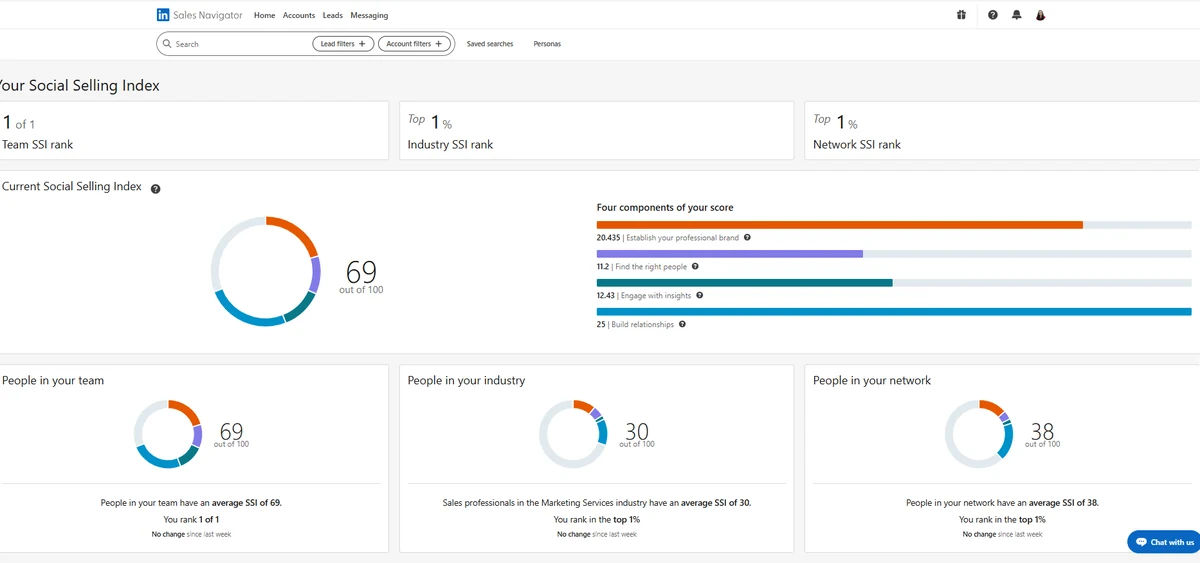
LinkedIn’s Social Selling Index was a score from 0 to 100 for how well you use the platform to sell. It was built from four parts: your professional brand, finding the right people, engaging with insights and building relationships. For years anyone could check it, and many B2B (business-to-business) sales teams put the number in their monthly reports.
The switch-off came in two steps. First a red banner warned that access “will be discontinued soon”. We wrote about the SSI going premium when the warning appeared on 30 August. Then came the lockout. Rafał Szymański, a Polish trainer who teaches Sales Navigator, reports that LinkedIn switched the page off for accounts without a Sales Navigator licence on 8 September 2026. Accounts lost access at different times, so some saw it a day or so earlier.
We couldn’t find a dated retirement notice from LinkedIn, but it has published its reasons. Its “From SSI to AI” page says “the SSI score no longer accurately reflects the modern sales environment,” and that “the time and effort needed for high SSI scores can distract people from closing deals and building deep customer relationships.” That’s a frank thing for the company that invented the score to say.
How do you check your LinkedIn SSI score now?
Only with Sales Navigator, and LinkedIn isn’t saying for how long. The page is still linkedin.com/sales/ssi, and LinkedIn’s own “Get your SSI score” button still points there. Szymański, a Sales Navigator user since about 2015, says the SSI “works for me the way it always did” (in a post updated on 21 October). It still showed on our own Sales Navigator account when we checked in October 2026. Yet LinkedIn’s page comparing Sales Navigator plans, marked “Updated: September 27, 2026”, doesn’t list the SSI as a feature of any plan.
LinkedIn Premium, the paid subscription for individuals, doesn’t seem to bring it back. LinkedScore, the blog of a LinkedIn profile-scoring tool, reported the same lockout message on a Premium account on 15 September. We can’t test that ourselves: our own Premium account also has Sales Navigator, which is where the score still shows.
I wouldn’t buy Sales Navigator to get a score back. It’s worth paying for if your team looks for new buyers on LinkedIn every day. LinkedIn lists features such as alerts when a potential buyer changes jobs or posts, and buyer intent signals (signs that a company is showing interest in what you sell). It also offers trackable links that show how someone engages with what you share, and team reporting. Check LinkedIn’s current plans for what each level includes and costs.
What changed in LinkedIn analytics in October 2026?
LinkedIn is rolling out a single analytics Dashboard on mobile and a new performance table on desktop, and newsletter open rates have been reported to be going.
- A new creator Dashboard. On 15 October 2026 LinkedIn announced a Dashboard for creators, meaning members who post. It brings your analytics, drafts and scheduled posts together. LinkedIn says it “will roll out globally in the coming weeks” and that you’ll find it on mobile “by tapping your profile picture in the top left of the app”, so you may not see it yet. Sam Corrao Clanon, who builds creator products at LinkedIn, says more analytics will be added there.
- A table of your recent posts. LinkedIn’s help pages, updated in the week before we checked on 23 October, describe a “Most recent posts performance” table on desktop (on our screen it’s called “Most recent post performance”) that lists your latest posts with their totals and can be exported as a spreadsheet. It has reached our own account, but LinkedIn says it’s “gradually making this feature available”, so you may not see it yet.
- Newsletter open rates reported to be going. John Espirian, a UK LinkedIn trainer and author, wrote on 8 October that, after LinkedIn’s support team replied to him, email open rates on LinkedIn newsletters “are going away altogether from 9 October 2026.” Newsletter author Trevor Young reports the same. LinkedIn’s help page still lists the metric, and our own newsletter still showed an email open rate in late October 2026, so check yours.
- A Network feed test, not here yet. LinkedIn is testing a separate feed of posts from your connections and the people you follow, starting in the US, India, the UK and Australia. LinkedIn hasn’t said when, or whether, it will reach South Africa.
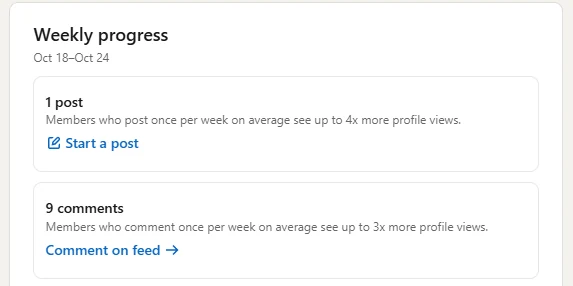
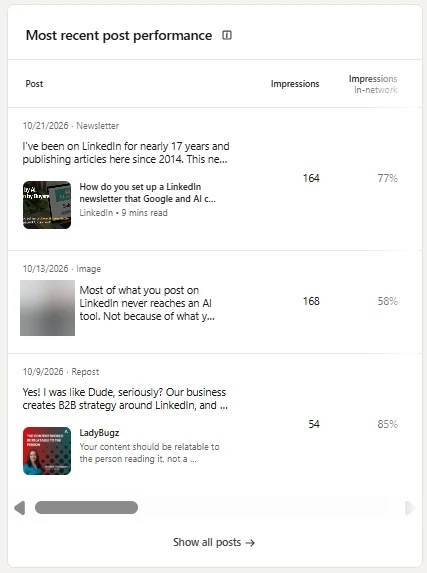
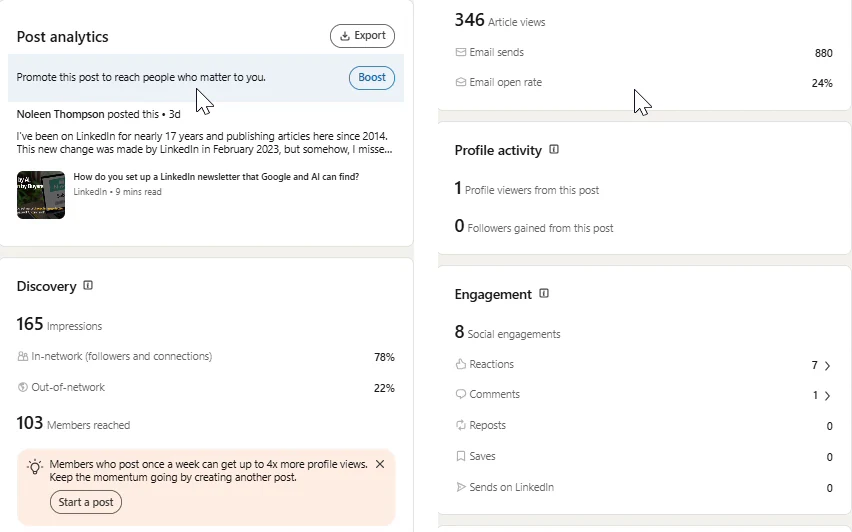
Three recent additions to post analytics matter more for measuring. Each post now splits its impressions (the number of times it was shown) in two. In-network impressions come from people who follow or are connected to you, and out-of-network impressions come from everyone else. Posts also count saves and sends (someone kept it or passed it on), and show how many profile views and new followers each one brought you.
What can you track on LinkedIn without paying?
More than most people check. Your personal numbers sit in the Analytics section of your profile, and company page numbers in the page’s admin view.
LinkedIn’s help centre describes what each section covers:
- Who viewed your profile. The number of viewers over the last 90 days, where they work, their job titles and how they found you. You see the names of only the three most recent viewers, and only if your own setting shows your name when you view others. Premium shows the full list for up to a year. LinkedIn’s help pages don’t fully agree on which viewer insights are Premium only, so check what your own account shows.
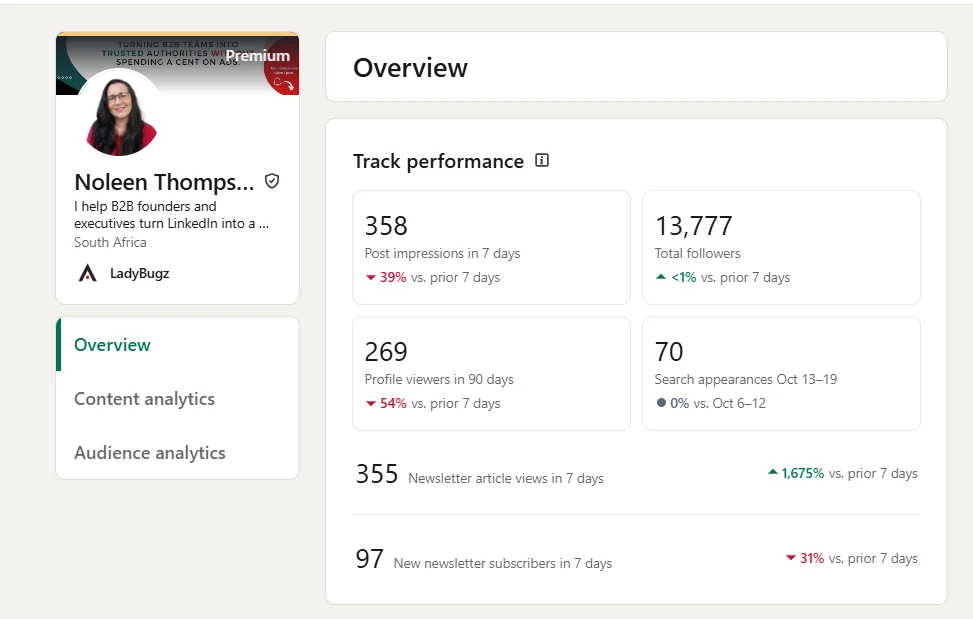
- Search appearances. How often you appeared in searches, the top companies and job titles of the people searching, and the job titles you were found for. LinkedIn doesn’t say which parts are free. On our own screen, which is a Premium account, search appearances show as a weekly total in the Overview above. We haven’t checked what a free account sees.
- Post and audience analytics. Impressions, members reached (the number of different people who saw a post), the measures above, and the job titles, industries and companies of your followers, over periods from seven days to a year. You can export them.
- Newsletter analytics. New subscribers, article views, the job titles and companies of your subscribers, and a list of your newest subscribers by name.
- Company page analytics. The job functions and seniority of your visitors, the keywords people used to find your page, and a comparison with one competitor (a paid Premium Company Page compares up to nine).
Download your numbers once a month. LinkedIn keeps the audience breakdown for each post (job titles, industries, companies) for only 180 days, so if you don’t save it you can’t compare it with six months ago. Impressions are kept far longer, for 1,000 days, according to LinkedIn’s help centre.
Look at who, not how many
What matters is whether the right people are noticing you. Ten views from financial directors you’d like to meet beat a thousand from job seekers. So compare the job titles and companies in your profile viewers, your search appearances and your followers with the list of people you sell to. If the job titles you’re found for aren’t the ones you sell to, start with your headline and About section. Our LinkedIn SEO guide shows which fields decide what you’re found for.
Count how many people at each target company know who you are, too. LinkedIn’s “From SSI to AI” page says the average sales cycle requires sellers “to engage up to 11 people within a target company account”. It also says Sales Navigator sellers with at least four LinkedIn connections at a target account are “16% more likely to close a deal”. LinkedIn doesn’t say how it worked out either figure, so I’d treat them as LinkedIn talking up its own tool. If you only know one person at a company and they leave, you’re starting again.
What should you track that LinkedIn doesn’t show you?
Track the moments when LinkedIn activity turns into a business conversation. LinkedIn can’t see most of them, so keep your own record:
- Conversations started. Replies to your messages, and comments that turned into a private conversation.
- Connection acceptance rate. Of the people you invite to connect, how many accept? LinkedIn used “the acceptance rate of your connection requests” in the old SSI, and a falling rate can mean you’re inviting the wrong people or not saying why.
- Meetings booked. Calls and meetings that started on LinkedIn.
- Enquiries that mention LinkedIn. Ask “How did you hear about us?” on your contact form and again on the first call.
- Opportunities with LinkedIn in the story. Mark them in your CRM (customer relationship management system, where your sales team records deals) so you can see what share of next year’s revenue LinkedIn touched.
LinkedIn’s own page for sales leaders agrees. As an example of what to measure when judging its new AI tools, it gives “quarterly and annual closed-won deals per sales rep”, meaning the deals each salesperson actually signs. A simple spreadsheet will do until you have a CRM. Our LinkedIn social selling playbook covers the habits that start those conversations in the first place.
Frequently asked questions
Is LinkedIn’s SSI going away?
For most people it already has. Accounts without Sales Navigator now see “Your access to the Social Selling Index (SSI) has been discontinued.” LinkedIn’s own “From SSI to AI” page argues the score no longer reflects how selling works. It still works inside Sales Navigator (we checked our own account in October 2026), but LinkedIn’s plan comparison doesn’t list it there.
Does LinkedIn Premium include the SSI?
It appears not. A Premium account was reported to show the same “has been discontinued” message in September 2026. We couldn’t test Premium on its own, because our Premium account also has Sales Navigator. Premium does add the full list of people who viewed your profile for up to a year, which tells you more than the old score did.
How can I see who viewed my LinkedIn profile without paying?
Go to your profile and open the Analytics section. LinkedIn’s help centre says a basic account shows the number of viewers over the last 90 days, where they work and their job titles, plus the names of the three most recent viewers if your own viewing setting shows your name.
What replaced LinkedIn’s SSI?
No new score replaced it. LinkedIn points sellers to the AI tools inside Sales Navigator, such as alerts and buyer intent signals. For everyone else, the closest replacement is the analytics a basic account already shows, such as who viewed your profile and how far your posts travel, plus your own record of conversations, meetings and enquiries.
For years the SSI gave people a number to quote. What replaces it is less tidy: the job titles and companies of people who looked at you, and a count of conversations that went somewhere. That’s harder to dress up, and far more useful when your managing director asks what LinkedIn is doing for the business. Before you start counting, it helps to know what a buyer sees when they open your profile. Our LinkedIn Assessment shows you that, so the numbers you track next year measure the right thing.
Want help setting up what to track? Contact us at noleen@ladybugz.co.za
Noleen Thompson, Managing Director and Founder, LadyBugz Marketing
Keep reading